કમ્પ્યુટર પરિભાષા

શબ્દભંડોળ શીખવા માટેના ઇન્ટરેક્ટિવ કાર્ડ્સ

અંગ્રેજીમધ્યમby misak007
કાર્ડ્સ: 704.8 / 5

આ પેજ પરથી શબ્દો સાચવો અને DuoCards માં ફ્લેશકાર્ડ્સનો ઉપયોગ કરીને તેનો અભ્યાસ કરો. આ કેવી રીતે કામ કરે છે?


a screen
એક સ્ક્રીન
I watched a movie on my laptop screen.
an alert
એક ચેતવણી
My phone sent me an alert about a new message.
an error
એક ભૂલ
He fixed an error in the computer program before it crashed.
a programmer
એક પ્રોગ્રામર
My sister is a programmer who creates mobile apps.
an interface
એક ઇન્ટરફેસ
The user interface of the app is very easy to navigate.
an outlet
પ્લગ પોઈન્ટ
Make sure to plug the lamp into an outlet to turn it on.
to send an email
ઈમેઈલ મોકલવા માટે
Can you send an email to the customer support team?
an account
એક ખાતું
Make sure to create an account on the website to access all features.
the network
નેટવર્ક
The network of computers allows us to share information quickly.
to restore
પુનઃસ્થાપિત કરવું
The technician will restore the system to its previous version.
to back up
બેકઅપ લેવું
I always back up my photos to an external hard drive.
to record
રેકોર્ડ કરવું
Please record the meeting for those who cannot attend.
to log out
લૉગ આઉટ કરો
She forgot to log out, and now someone else can access her profile.
to save
સેવ કરવું
Where did you save that file?
a setup
સેટિંગ
He explained the setup of the new computer system to the team.
a mouse
એક ઉંદર
Can you help me find my computer mouse?
to download
ડાઉનલોડ કરવું
I need to download the latest version of the software.
to browse
બ્રાઉઝ કરવું
I like to browse the internet for new recipes.
a comment
એક ટિપ્પણી
She left a comment on the blog post to share her thoughts.
to connect
જોડાવું
She wants to connect with her old friends on social media.
social networks
સોશિયલ મીડિયા
Businesses often use social networks to reach new customers and promote their products.
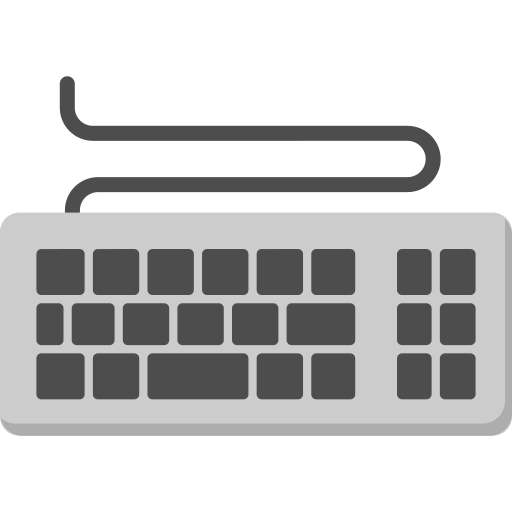
a keyboard
કીબોર્ડ
He pressed the wrong key on the keyboard and made a mistake.
a laptop
એક લેપટોપ
He took his laptop to the coffee shop to work on his project.
wireless
વાયરલેસ
I bought a new wireless mouse for my computer.
portable
પોર્ટેબલ
This portable charger is perfect for traveling.
to share
શેર કરવું
Can you share the link to the website with me?
a desktop computer
ડેસ્કટોપ કોમ્પ્યુટર
The office has several desktop computers for employees to use.
to click
ક્લિક કરવું
I need to click on the link to open the website.
to log in
લોગ ઇન કરવા માટે
After you log in, you can change your password.
to turn on
ચાલુ કરવું
Don't forget to turn on your phone's Bluetooth before connecting.
a notification
એક સૂચના
The app sent me a notification to remind me of my appointment.
a message
એક સંદેશ
The system sent an automated message confirming your registration.
to scroll down
નીચે સ્ક્રોલ કરો
Please scroll down to find the download link.
an application
એપ્લિકેશન
She downloaded an application to help her learn math.
to install
ઇન્સ્ટોલ કરવું
After you install the app, you can start using it right away.
a bug
ભૂલ
The developers are working to fix the bug that causes the app to crash.
an antivirus
એન્ટિવાયરસ
The antivirus software detected a virus on my laptop.
to go online
ઇન્ટરનેટ સાથે જોડાવું
Every morning, he goes online to check his emails.
the data
ડેટા
We need to analyze the data before making a decision.
a font
એક ફોન્ટ
You can choose from various fonts in the text editor.
a graphics card
ગ્રાફિક્સ કાર્ડ
The graphics card in my laptop is not powerful enough for video editing.
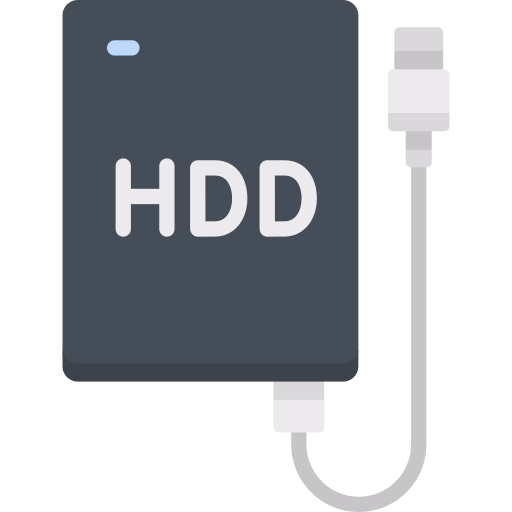
a hard disk
હાર્ડ ડિસ્ક
He backed up all his data on an external hard disk.
an icon
એક આઇકન
On my computer, I clicked on the folder icon to open my documents.
the internet
ઇન્ટરનેટ
I found a lot of information on the internet for my school project.
progress
પ્રગતિ
The progress of technology is amazing.
an operating system
એક ઓપરેટિંગ સિસ્ટમ
The operating system on my computer is Windows.
to follow
અનુસરવું
Click here to follow our page on social media.
to delete
કાઢી નાખવું
She accidentally deleted the important email.
to upload
અપલોડ કરવું
She decided to upload her vacation photos to Instagram.
a pixel
એક પિક્સેલ
The image looks blurry because it has too few pixels.
a program
એક પ્રોગ્રામ
This program runs automatically when you start your computer.
to send a request
વિનંતી મોકલવી
He's sent me a friend request.
the headphones
હેડફોન
These headphones have great sound quality.
a password
પાસવર્ડ
I forgot my password for the email account.
a virus
એક વાયરસ
Make sure your computer has antivirus software to protect against viruses.
an update
એક અપડેટ
The latest update fixed several security issues.
to minimize
ન્યૂનતમ કરવું
We need to minimize the risks before starting the project.
to maximize
મહત્તમ કરવું
The company was aiming to maximize profits.
the transfer
ટ્રાન્સફર
We need to arrange the transfer of data to the new server.
a voice message
વોઇસ મેસેજ
She left a voice message because she couldn't reach me.
a microphone
એક માઇક્રોફોન
He spoke into the microphone so everyone in the audience could hear him clearly.
typing
ટાઇપિંગ
Typing on a keyboard can help improve your writing skills.
to reload
ફરીથી લોડ કરો
After the game crashed, I had to reload it from the beginning.
a page
એક પાનું
You can find more details on that topic on a page of the website.
spam
સ્પામ
I get too much spam in my inbox every day.
an advertisement
એક જાહેરાત
She created an advertisement for her bakery on social media.
to unblock
અનબ્લોક કરવું
I had to unblock my account after entering the wrong password too many times.
a transmission
ટ્રાન્સમિશન
The transmission of large files may take a few minutes.
an antenna
એન્ટેના
The antenna on my radio helps me catch more stations.
a controller
એક કંટ્રોલર
A database controller manages access to stored information.
આ કેવી રીતે કામ કરે છે?

DuoCards સાથે શીખવું

DuoCards શું છે?

DuoCards એક ભાષા શીખવાની એપ છે જે તમને ફ્લેશકાર્ડ્સની મદદથી તમારી શબ્દભંડોળ વધારવામાં મદદ કરે છે. તમે જે શબ્દો શીખવા માંગો છો તેને સેવ કરી શકો છો અને સમય જતાં તેનો અભ્યાસ કરી શકો છો.

મારે આ સેટ સાથે કેવી રીતે શીખવું જોઈએ?

શબ્દો અને તેમના અનુવાદો જોવા માટે કાર્ડ્સ બ્રાઉઝ કરો. કાર્ડ પીકર પસંદ કરો અને જે શબ્દો તમે શીખવા માંગો છો તે પસંદ કરો. પછી તમારા શબ્દોને સાચવવા અને તેનો અભ્યાસ કરવા માટે એક ફ્રી એકાઉન્ટ બનાવો.

મારે મારા શબ્દોની પ્રેક્ટિસ કેવી રીતે કરવી જોઈએ?

તમે એક કાર્ડ જોશો જેમાં એક શબ્દ અને તેનું છુપાયેલું ભાષાંતર હશે. અનુમાન લગાવો કે આનો અર્થ શું છે, અને પછી તમારો જવાબ તપાસવા માટે ટેપ કરો. DuoCards એવા શબ્દોનું પુનરાવર્તન કરે છે જે તમને અઘરા લાગે છે.

શું મારે એકાઉન્ટની જરૂર છે, અને શું અહીં શીખવું મફત છે?

તમે એકાઉન્ટ વગર આ પેજ બ્રાઉઝ કરી શકો છો. ફ્રી એકાઉન્ટ સાથે તમે શબ્દો સેવ કરી શકો છો અને તમારી પ્રગતિને ટ્રેક કરી શકો છો. ફ્રી પ્લાનમાં કેટલીક મર્યાદાઓ છે, અને પ્રીમિયમમાં વધારાના ફીચર્સ મળે છે.