පරිගණක පාරිභාෂික වචන

වචන මාලාව ඉගෙන ගැනීමට අන්තර්ක්‍රියාකාරී කාඩ්පත්

ඉංග්‍රීසිමධ්‍යස්ථby misak007
කාඩ්පත්: 704.8 / 5

මේ පිටුවේ තියෙන වචන සුරකින්න, ඊටපස්සේ DuoCards වල තියෙන කාඩ්පත් පාවිච්චි කරලා ඒවා පුහුණු වෙන්න. මේක වැඩ කරන්නේ කොහොමද?


a screen
තිරයක්
I watched a movie on my laptop screen.
an alert
අනතුරු ඇඟවීමක්
My phone sent me an alert about a new message.
an error
දෝෂයක්
He fixed an error in the computer program before it crashed.
a programmer
ප්‍රෝග්‍රෑම් කරන්නෙක්
My sister is a programmer who creates mobile apps.
an interface
අතුරුමුහුණතක්
The user interface of the app is very easy to navigate.
an outlet
විදුලි පේනුව
Make sure to plug the lamp into an outlet to turn it on.
to send an email
විද්‍යුත් තැපෑලක් යැවීමට
Can you send an email to the customer support team?
an account
ගිණුමක්
Make sure to create an account on the website to access all features.
the network
ජාලය
The network of computers allows us to share information quickly.
to restore
ප්‍රතිස්ථාපනය කිරීම
The technician will restore the system to its previous version.
to back up
පිටපතක් තබා ගැනීම
I always back up my photos to an external hard drive.
to record
පටිගත කිරීම
Please record the meeting for those who cannot attend.
to log out
පද්ධතියෙන් ඉවත් වන්න
She forgot to log out, and now someone else can access her profile.
to save
සුරැකීමට
Where did you save that file?
a setup
සැකසුමක්
He explained the setup of the new computer system to the team.
a mouse
මීයෙක්
Can you help me find my computer mouse?
to download
බාගත කිරීම
I need to download the latest version of the software.
to browse
පිරික්සීම
I like to browse the internet for new recipes.
a comment
අදහස් දැක්වීමක්
She left a comment on the blog post to share her thoughts.
to connect
සම්බන්ධ කිරීමට
She wants to connect with her old friends on social media.
social networks
සමාජ ජාල
Businesses often use social networks to reach new customers and promote their products.
a keyboard
යතුරුපුවරුවක්
He pressed the wrong key on the keyboard and made a mistake.
a laptop
ලැප්ටොප් පරිගණකයක්
He took his laptop to the coffee shop to work on his project.
wireless
රැහැන් රහිත
I bought a new wireless mouse for my computer.
portable
පහසුවෙන් ගෙන යා හැකි
This portable charger is perfect for traveling.
to share
බෙදා ගැනීමට
Can you share the link to the website with me?
a desktop computer
ඩෙස්ක්ටොප් පරිගණකයක්
The office has several desktop computers for employees to use.
to click
ක්ලික් කිරීම
I need to click on the link to open the website.
to log in
පුරනය වන්න
After you log in, you can change your password.
to turn on
ක්‍රියාත්මක කරන්න
Don't forget to turn on your phone's Bluetooth before connecting.
a notification
දැනුම්දීමක්
The app sent me a notification to remind me of my appointment.
a message
පණිවිඩයක්
The system sent an automated message confirming your registration.
to scroll down
පහළට අනුචලනය කරන්න
Please scroll down to find the download link.
an application
යෙදුමක්
She downloaded an application to help her learn math.
to install
ස්ථාපනය කිරීමට
After you install the app, you can start using it right away.
a bug
දෝෂයක්
The developers are working to fix the bug that causes the app to crash.
an antivirus
ප්‍රතිවයිරස මෘදුකාංගයක්
The antivirus software detected a virus on my laptop.
to go online
අන්තර්ජාලයට සම්බන්ධ වීම
Every morning, he goes online to check his emails.
the data
දත්ත
We need to analyze the data before making a decision.
a font
අකුරු ශෛලියක්
You can choose from various fonts in the text editor.
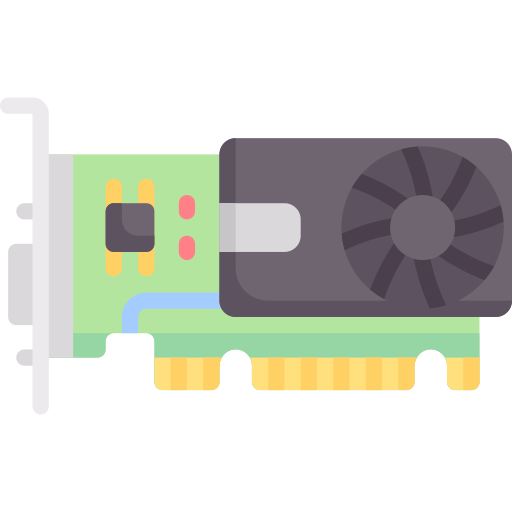
a graphics card
ග්‍රැෆික් කාඩ්පතක්
The graphics card in my laptop is not powerful enough for video editing.
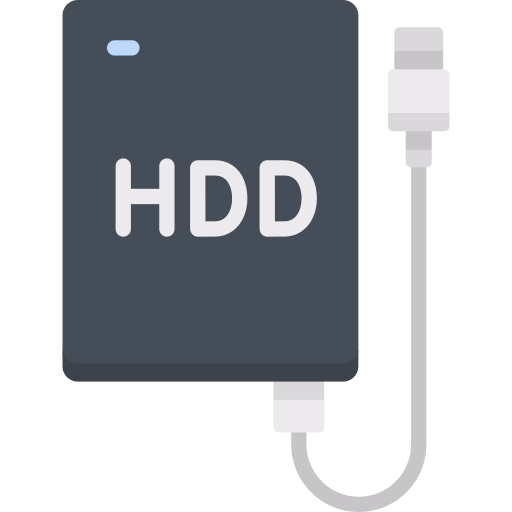
a hard disk
දෘඪ තැටියක්
He backed up all his data on an external hard disk.
an icon
අයිකනයක්
On my computer, I clicked on the folder icon to open my documents.
the internet
අන්තර්ජාලය
I found a lot of information on the internet for my school project.
progress
ප්‍රගතිය
The progress of technology is amazing.
an operating system
මෙහෙයුම් පද්ධතියක්
The operating system on my computer is Windows.
to follow
අනුගමනය කිරීම
Click here to follow our page on social media.
to delete
මකා දැමීමට
She accidentally deleted the important email.
to upload
උඩුගත කිරීමට
She decided to upload her vacation photos to Instagram.
a pixel
පික්සලයක්
The image looks blurry because it has too few pixels.
a program
වැඩසටහනක්
This program runs automatically when you start your computer.
to send a request
ඉල්ලීමක් යැවීම
He's sent me a friend request.
the headphones
හෙඩ්ෆෝන් එක
These headphones have great sound quality.
a password
මුරපදයක්
I forgot my password for the email account.
a virus
වෛරසයක්
Make sure your computer has antivirus software to protect against viruses.
an update
යාවත්කාලීනයක්
The latest update fixed several security issues.
to minimize
අවම කිරීම
We need to minimize the risks before starting the project.
to maximize
උපරිම කිරීම
The company was aiming to maximize profits.
the transfer
මාරු කිරීම
We need to arrange the transfer of data to the new server.
a voice message
හඬ පණිවිඩයක්
She left a voice message because she couldn't reach me.
a microphone
මයික්‍රොෆෝනයක්
He spoke into the microphone so everyone in the audience could hear him clearly.
typing
ටයිප් කිරීම
Typing on a keyboard can help improve your writing skills.
to reload
නැවත පූරණය කිරීම
After the game crashed, I had to reload it from the beginning.
a page
පිටුවක්
You can find more details on that topic on a page of the website.
spam
ස්පෑම්
I get too much spam in my inbox every day.
an advertisement
දැන්වීමක්
She created an advertisement for her bakery on social media.
to unblock
අවහිරය ඉවත් කිරීම
I had to unblock my account after entering the wrong password too many times.
a transmission
සම්ප්‍රේෂණයක්
The transmission of large files may take a few minutes.
an antenna
ඇන්ටනාවක්
The antenna on my radio helps me catch more stations.
a controller
පාලකයක්
A database controller manages access to stored information.

DuoCards සමඟ ඉගෙනීම

DuoCards කියන්නේ මොකක්ද?

DuoCards කියන්නේ කාඩ්පත් භාවිතයෙන් ඔයාගේ වචන මාලාව දියුණු කරගන්න උදව් වෙන භාෂා ඉගෙනීමේ ඇප් එකක්. ඔයාට ඉගෙන ගන්න ඕන වචන සුරක්ෂිත කරලා තියාගෙන, කාලයක් යනකොට ඒවා පුහුණු වෙන්න ඔයාට පුළුවන්.

මේ කට්ටලය භාවිතා කරලා මම ඉගෙන ගන්නේ කොහොමද?

වචන සහ ඒවායේ පරිවර්තන බලාගන්න කාඩ්පත් හරහා යන්න. කාඩ්පත් තෝරනය (Card picker) තෝරාගෙන ඔයාට ඉගෙන ගන්න ඕන වචන මොනවද කියලා තෝරගන්න. ඊට පස්සේ ඔයාගේ වචන සුරක්ෂිත කරගෙන ඒවා පුහුණු වෙන්න නොමිලේ ගිණුමක් හදාගන්න.

මම මගේ වචන පුහුණු වෙන්නේ කොහොමද?

ඔයාට වචනයක් සහ සැඟවුණු පරිවර්තනයක් සහිත කාඩ්පතක් දකින්න ලැබෙයි. මේකේ තේරුම මොකක්ද කියලා අනුමාන කරලා, උත්තරේ බලන්න ඒක උඩ තට්ටු කරන්න. ඔයාට අමාරු වචන DuoCards එකෙන් නැවත නැවත මතක් කරලා දෙනවා.

මට ගිණුමක් අවශ්‍යද, ඒ වගේම ඉගෙන ගන්න එක නොමිලේ ද?

ඔයාට ගිණුමක් නැතුව වුණත් මේ පිටුව බ්‍රවුස් කරන්න පුළුවන්. නොමිලේ ලැබෙන ගිණුමකින් ඔයාට වචන සුරක්ෂිත කරගන්නත් ඔයාගේ ප්‍රගතිය බලාගන්නත් පුළුවන්. නොමිලේ භාවිතා කළ හැකි සැලැස්මට සීමාවන් තියෙනවා, ප්‍රිමියම් (Premium) මගින් ඔබට තවත් අමතර විශේෂාංග ලබාගන්න පුළුවන්.